What Is a Triggered Email? Common Triggers, Examples and Rules
 By Nora Ellison
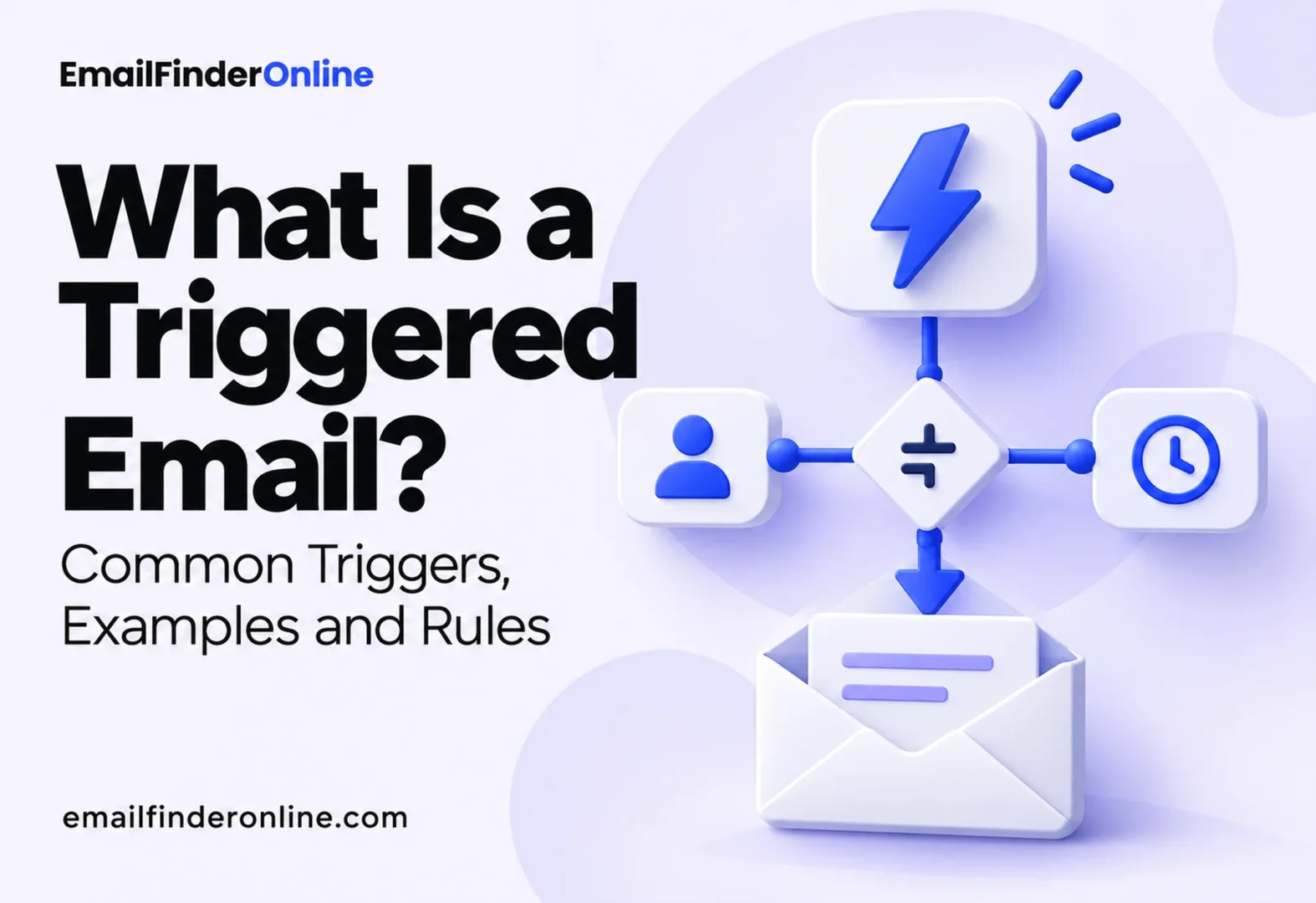
A triggered email is a message that your system sends automatically when a specific event happens: someone signs up, leaves a checkout unfinished, views a product, stops buying or reaches a date such as a renewal or a birthday. Nobody schedules it for a send date. The event decides who gets it and when. This explainer breaks a trigger into its parts, walks through the common trigger types with an example for each, and covers the timing and stop rules that decide whether a triggered message feels helpful or intrusive.
How a triggered email works
Every triggered message, whatever tool sends it, is built from the same four parts. Thinking in these parts makes it easier to design new triggers and to debug the ones that misfire.
- The trigger event. Something the system can detect: a form submission, an order, a page view, a change in a profile field, a date.
- The conditions. Rules that decide whether this person should get the message at all, such as “has not purchased” or “lives in a region we ship to.”
- The timing. How long to wait after the event before sending, and whether to send at a particular time of day.
- The stop rules. What cancels the message if it has not gone out yet, such as completing the purchase it was meant to encourage.
Klaviyo’s help center describes the timing piece in a way that applies broadly: each time delay sets a waiting period between one step and the next, so delays add up (Klaviyo). If the first email goes out one day after the trigger and a 2 day delay sits before the second, the second arrives 3 days after the trigger. Steps placed back to back with no delay all fire at once.
Triggered email versus a scheduled campaign
A campaign starts from a calendar: you pick a date, an audience and a message, and everyone in the audience receives it at roughly the same time. A triggered email starts from a person. Two subscribers who joined a week apart receive the same welcome message a week apart, each at the right moment for them.
That changes how you judge them. A campaign is measured on the day it goes out. A triggered message runs for months, so small problems (a broken link, an outdated discount, a condition that lets the wrong people through) repeat quietly with every send. Triggered flows need a review date on the calendar even though nobody presses send.
Common trigger types, with examples
Most platforms group triggers into a handful of families. Klaviyo, for example, lists six trigger options for its flows: being added to a list, entering a segment, taking a tracked action (a “metric,” such as placing an order), having a date-based profile property, a price drop on an item the person viewed or started checkout with, and an item they viewed reaching a low-inventory threshold you set.
| Trigger family | Trigger event | Example message | Typical timing |
|---|---|---|---|
| Signup | Joins a list or creates an account | Welcome email that explains what to expect and points to one useful first step | Immediately |
| Abandoned checkout | Starts checkout, leaves before paying | Reminder with the items and a link back to the saved checkout | A few hours later |
| Browsing behavior | Views a product or page several times | “Still comparing?” email with specs, reviews or a guide | Same or next day |
| Purchase | Completes an order | Setup tips, care instructions or a request for a review | Days after delivery |
| Inactivity | No purchase, login or open for a set period | Winback message asking what changed, with a simple way to update preferences | After the gap you define |
| Date | Birthday, anniversary, renewal, trial end | Renewal reminder with the date and the amount, or a birthday note | Days before, or on the date |
| Inventory or price | Viewed item drops in price or runs low | Short alert with the new price or stock level | Soon after the change |
| Segment entry | Profile starts matching a rule, such as reaching a spend level | Note that explains a new status or benefit | When the rule first matches |
Signup triggers
The welcome message is the trigger most lists start with, and Klaviyo’s own suggested order for a new account puts a welcome series first, followed by abandoned cart, post-purchase and winback. A signup is the moment of highest interest, so the first message should arrive while the person still remembers why they signed up. Keep it short: confirm what they joined, set expectations for frequency and give one next step.
Abandoned checkout triggers
Cart and checkout reminders are the clearest example of a behavioral email, and the details of how platforms detect abandonment are worth knowing. Shopify’s help center, for instance, treats a checkout as abandoned when it stays incomplete for more than ten minutes after the customer has entered an email address (Shopify). Its automated recovery email includes a link back to the abandoned checkout, and store owners choose who receives it and how long after abandonment it goes out.
Notice what has to be true before that trigger can fire: the store must already have the shopper’s email address. A checkout abandoned before that step cannot be recovered by email at all, which is one reason many checkouts ask for the address first.
Behavior and inactivity triggers
Browsing triggers work well when the message adds information rather than repeating the product page. Inactivity triggers need a definition of “inactive” that fits the buying cycle: a coffee subscription and a software license have very different normal gaps between purchases.
Date triggers
Date triggers are the easiest to predict and the easiest to get wrong. A renewal notice is useful when it includes the date, the amount and a way to change the plan. A birthday email only works if the date was given willingly and stored correctly; a wrong or guessed date is worse than no message.
A B2B example: trial ending
Software companies often combine several trigger families in one flow. A trial that ends in 14 days might work like this: a date trigger sends a reminder a week before the end with a summary of what the account has set up so far. A behavior condition splits the flow, so accounts that have invited teammates get a message about plans for teams while single users get a short guide to the feature they have not tried. A stop rule cancels everything once the account upgrades or a sales rep books a call. Each piece is simple. The value comes from combining an event, a condition and a stop rule so the message reflects what the account actually did.
Stop rules: the part most teams skip
The most common triggered email complaint is a message that arrives after it stopped being true: a cart reminder after the order was placed, a “we miss you” note a day after a purchase. Stop rules prevent that.
Shopify’s documentation lists cases where its abandoned checkout email is not sent, and they make a good model for any trigger. The email is skipped if the customer completes a sale before it is due, if a payment processing error occurred, if the store does not ship to the customer’s address, or if none of the products in the checkout are available any more. Each one is a situation where the reminder would be useless or annoying.
Platforms differ in when they check those rules. Klaviyo explains that trigger filters are evaluated only when someone enters a flow, while profile filters are checked again before each later step. Its example is a filter such as “has placed an order zero times since starting this flow,” which removes anyone who bought in the meantime. The practical lesson: put conditions that can change over time (purchased, unsubscribed, became a customer) in a filter that is rechecked at send time, not only at entry.
A short list of stop rules worth adding to almost every trigger:
- The person completed the action the email asks for.
- They are now in a different flow that covers the same moment.
- They unsubscribed, complained or bounced.
- The product, price or offer in the message is no longer available.
- A sales rep or support agent is already in contact with them.
Data quality behind triggers
Triggers are only as good as the data behind them. A signup with a mistyped address triggers a welcome email that bounces. A B2B trial started with a personal address triggers onboarding messages that never reach the team that will buy. Over time, bounces from automated sends damage the reputation of the domain that also sends your receipts and newsletters, which is why steps to prevent bounces belong in the setup of any automated program.
Two habits help. Validate addresses at the point where they enter the system, before any trigger fires. And when a trigger targets a business account, such as a trial ending or a renewal due, make sure the message goes to someone who can act on it. If the original contact has moved on, the techniques for tracking down a specific person’s address can help you reach the right one.
Keep triggered mail separate from cold outreach. Triggers respond to people who already interacted with you; messages to people who have not need a different approach, covered in our guide to planning outbound email.
Triggered email setup checklist
- ☐ One clear trigger event per flow, written in plain words
- ☐ Entry conditions that exclude people who should never receive it
- ☐ Conditions that can change over time rechecked before each send
- ☐ Time delays checked end to end, remembering that delays add up
- ☐ Stop rules for completed actions, unsubscribes and unavailable items
- ☐ Clear rules for which flow wins when a person qualifies for two
- ☐ A test profile run through every branch before going live
- ☐ A review date to check links, offers and results
FAQ
Is a triggered email the same as a drip campaign?
A drip campaign is a series of emails sent on a fixed schedule after someone joins. A triggered email is sent in response to a specific event. Many drip sequences start with a trigger, such as a signup, and then use time delays, so the two often appear together.
Are triggered emails transactional?
Some are. A receipt or a password reset is triggered and transactional. A cart reminder, a winback message or a browsing follow-up is triggered but promotional, so it should follow the rules for marketing email, including an unsubscribe option.
How soon should a triggered email go out?
It depends on the trigger. Signup and account messages should go out right away. Cart reminders usually need a short wait so the person has a chance to finish on their own. Post-purchase messages work better after delivery than right after checkout.
How many triggered flows should I start with?
Start with the moments that matter most to your business, often signup, abandoned checkout, post-purchase and inactivity. Get those working with clean stop rules before adding more, since overlapping flows are a common cause of duplicate messages.
Why did someone receive a triggered email they should not have?
Usually a condition was checked only at entry and changed later, a stop rule was missing, or the person qualified for two flows at once. Check the flow’s history for that profile to see which step let them through.
Comparing tools that support your outreach data? Pricing details are here for reference.