How to Plan a Product Launch Email Sequence
 By Nora Ellison
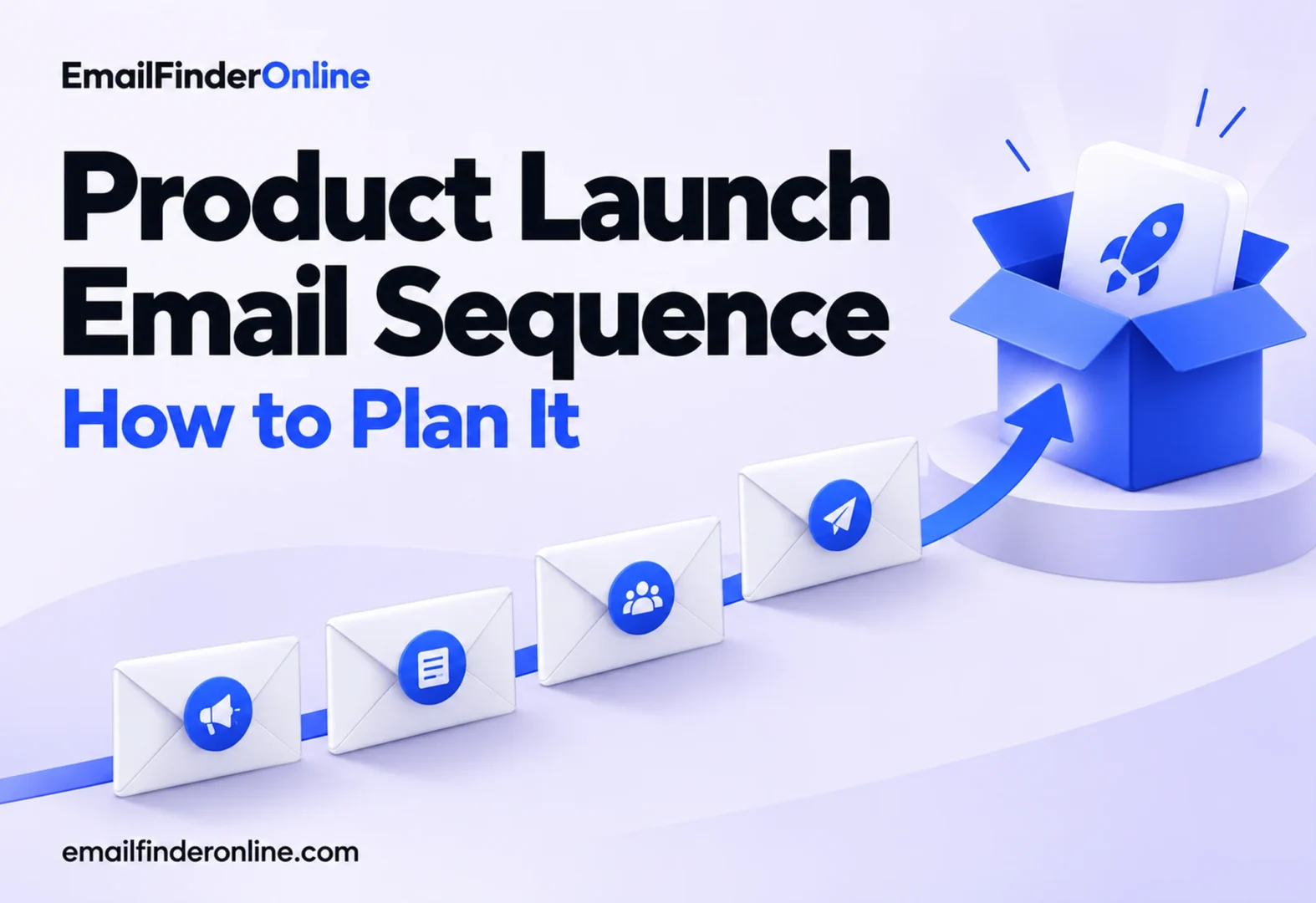
The product is nearly ready, the landing page is live, and you have one shot at getting your list to care. A single product launch email rarely carries that weight alone. What works better is a short launch sequence: a teaser that builds interest, a launch day email that explains the product and asks for action, and follow-ups that answer doubts and remind people who missed it. Each email has a different job, a different send date and a different call to action.
This guide walks through each stage, what to put in it, how to time it, and templates you can adapt for your own launch.
What a product launch email sequence looks like
A launch sequence is the set of messages you send before, during and after release. Kit’s guide to launch emails suggests dropping hints a month or two before release day and continuing with reminders until two weeks after launch (Kit). Your own timeline can be shorter for a small feature or longer for a major release, but the structure stays the same.
| Stage | When | Job | Call to action |
|---|---|---|---|
| Teaser | Weeks before launch | Create curiosity and collect interest | Join the waitlist or reply |
| Early access | Days before launch | Reward your keenest readers | Get in first |
| Launch day | Release day | Explain the product and open sales or signups | Buy, start a trial or book a demo |
| Reminder | A few days after launch | Reach people who missed the first email | Same as launch day |
| Social proof | One to two weeks after | Show real use and answer objections | Read the story, then act |
| Last call | Only if an offer truly ends | Give a final, honest deadline | Act before the offer closes |
You do not need every stage. A minimal sequence is teaser, launch day and one reminder.
Before you write: get the list and the sending setup ready
A launch often means sending more email, to more people, in a shorter window than usual. That is exactly when delivery problems show up.
- Clean the list first. Remove hard bounces and stale contacts, and check any addresses added since your last campaign. The email bounce prevention write-up explains why a spike of bounces on launch day can hurt the rest of your sends, and the address verification guide walks through the checks.
- Check authentication. Under Google’s sender guidelines, anyone sending upward of 5,000 messages to Gmail accounts in a day needs SPF, DKIM and DMARC in place, plus one-click unsubscribe on marketing mail (Google). For every sender, the same page sets a ceiling of 0.3% on the spam rate Postmaster Tools reports.
- Know the rules for promotional email. In the US, CAN-SPAM covers launch announcements even when every recipient is a business. The FTC’s compliance guide says B2B email gets no exemption and names a note telling past customers about a new product line among the messages the law applies to (FTC). Every launch email needs an accurate subject line, a real postal address and an unsubscribe link that works.
- Decide who gets it. Segment the list so existing customers, trial users and cold subscribers get messages that fit their relationship with you. If you sell to businesses and are building a launch audience from scratch, the steps in B2B email list building help keep that list targeted.
Step 1: Send the teaser email
The teaser email tells subscribers something is coming without giving everything away. Its job is curiosity and a small commitment.
What to include:
- The problem the product solves, described in the reader’s words.
- A hint at what is coming: a name, a silhouette, a screenshot detail or a date.
- One action that signals interest, such as joining a waitlist, replying with a question or saving the date.
Keep it short. A teaser that reads like a full announcement leaves nothing for launch day. The people who join the waitlist become your early access segment.
Step 2: Offer early access (optional)
Giving waitlist members or loyal customers a head start makes them feel valued and gives you early feedback before the wider release. HubSpot describes pre-launch access as a way to launch to a limited number of users to get feedback, generate interest or soft launch into a new market (HubSpot). Send it a few days before the public launch with a clear window: when access opens and when everyone else gets it.
Step 3: Write the launch day email
This is the email the rest of the plan builds toward. It should make the product easy to understand in seconds and make the next step obvious.
A launch day email usually contains:
- A subject that states the news plainly. “[Product] is here” works because nobody has to guess what is inside.
- A one-sentence summary. What the product is and who it is for.
- The problem and the payoff. Why it matters to this reader, in two or three short lines.
- Two or three key features, framed as outcomes. What the reader can now do that they could not before.
- A visual. A product image, short GIF or screenshot, with alt text.
- One clear call to action. A button that says what happens next, such as “Start your free trial” or “See the product.”
- Proof, if you have it. A quote from a beta user or a short result from early access.
- Any launch offer, stated honestly. If there is a deadline, give the real date.
Resist adding every feature. The landing page can carry the detail; the email’s job is to get the click.
Step 4: Follow up after launch
Many subscribers will miss or skim the launch day email. Post-launch follow-up emails catch them without repeating yourself word for word.
- Reminder (a few days later): send to people who did not click. Lead with a different angle, such as a use case or a question the product answers.
- Social proof (one to two weeks later): share how early users are getting value, answer the objections you have heard, and link to a short FAQ.
- Last call (only if true): if a launch price or bonus genuinely ends, say so with the date. Fake deadlines erode trust, and a subject line that misrepresents the content runs against CAN-SPAM’s rule on deceptive subject lines.
Exclude people who already bought from the reminders, and move them into onboarding emails instead.
Timing: when to send each email
No one day suits every list, and averages collected from other audiences may not hold for yours. Use these guides as a starting point:
- Teaser: a month or two ahead for a significant product, in line with the Kit guidance above; a week or two can be enough for a feature update.
- Early access: two to five days before the public launch.
- Launch day: the morning of release in the time zone where the larger share of your audience lives, once you have confirmed the product page and checkout work.
- Reminder: two to four days after launch.
- Social proof and last call: within the following two weeks.
Space emails so that no segment receives more than one launch message in a day, and watch unsubscribes and complaints after each send. If they jump, slow down.
Product launch email templates
Teaser template
Subject: Something new for [audience] on [date]
Hi [First name],
If [problem] has been slowing you down, we have been building something for you.
We are not sharing everything yet, but here is a hint: [one-line hint or image].
Want to be first to see it? [Join the waitlist]
[Name]
[Company name], [postal address]. [Unsubscribe]
Launch day template
Subject: [Product] is here
Hi [First name],
Today we are launching [product], a [one-line description] for [audience].
With it, you can:
- [Outcome 1]
- [Outcome 2]
- [Outcome 3]
[Primary button: Start your free trial or See the product]
[Optional: launch offer and its real end date]
[Name]
[Company name], [postal address]. [Unsubscribe]
Follow-up template
Subject: How [customer or team type] is using [product]
Hi [First name],
Last week we launched [product]. Here is how [early user or example] is using it: [two-sentence story].
Questions we keep hearing:
- [Question 1]? [Short answer]
- [Question 2]? [Short answer]
[See the product]
[Name]
[Company name], [postal address]. [Unsubscribe]
Subject line ideas by stage
| Stage | Examples |
|---|---|
| Teaser | “Something new is coming on [date]”, “A hint at what we have been building” |
| Early access | “You are in early: [product] opens for you today” |
| Launch day | “[Product] is here”, “Meet [product]: [main outcome]” |
| Reminder | “In case you missed it: [product]”, “[Question the product answers]?” |
| Social proof | “How [customer] uses [product]” |
| Last call | “[Offer] ends [day]” (only when it really does) |
Pitfalls to avoid
- Launching to an unchecked list. Bounces and complaints on launch day can drag down delivery for the whole sequence.
- Saying everything in the teaser. Hold the details for launch day.
- Several competing calls to action. One primary button per email.
- Reminding buyers to buy. Suppress purchasers from follow-ups.
- Inventing urgency. Only use deadlines that are real.
- Skipping tracking. Tag links in every launch email so you can see which message drove signups or sales.
If your launch includes outreach to new business contacts rather than subscribers, plan it separately; the cold email outreach article walks through sequences of that kind.
FAQ
How many emails should a product launch sequence have?
Three is a practical minimum: a teaser, a launch day email and one reminder. Add early access, social proof and last call emails when your list and offer support them.
How far in advance should I send a teaser email?
For a significant release, a month or more ahead gives people time to notice and join a waitlist. For a smaller feature, a week or less is often enough.
Should existing customers get the same launch emails as prospects?
Usually not. Customers may need to know what changes for them and whether it costs extra, while prospects need a fuller introduction. Segment the list and adjust the message.
What is a good subject line for a product launch email?
One that names the product and the news plainly, such as “[Product] is here” or “Meet [product].” Clever wording that hides the topic can confuse readers and conflicts with the requirement that subject lines reflect the content.
Do product launch emails need an unsubscribe link?
Yes. Launch emails are promotional, so in the US they fall under CAN-SPAM, and large senders to Gmail must also offer one-click unsubscribe on promotional mail.
Final thoughts
A product launch email does its job inside a sequence. Tease the problem, open access to your keenest readers, explain the product clearly on launch day, then follow up with reminders and proof for those who missed it. Clean the list and check authentication before the first send, keep every subject line honest, and stop reminding people who already bought. If list work is part of your launch prep, Email Finder Online pricing shows the plans.